Partner Portal overview
The Partner Portal is where drone service providers in Detect's partner network take the Data Quality Program (DQP). The program is a two-part certification:
- Part 1: Online course. Video modules with a quiz after each one. Finishing earns your Part 1 certificate.
- Part 2: Workflow Verification. A field test. You fly one asset, upload the imagery, and Detect reviews it. Approval earns your Part 2 certificate and makes you certified.
The portal also holds the documents and resources Detect shares with its partners.
Roles in the portal
| Role | What they can do |
|---|---|
| Pilot | Takes the Data Quality Program and tracks their own progress. |
| Org admin | Everything a pilot can do, plus invites and manages the team. See Team management. |
Org admins take the course too. Certification belongs to each person, not to the organization.
Getting in
Three things need to be in place before you can use the portal.
1. Detect turns on the portal for your organization
Detect enables the Partner Portal for each partner organization. Once it is on, the Partner Portal tab appears in the top navigation. If the portal is the only part of DetectOS your organization uses, it is also your home page.
2. Your organization's NDA is on file
Everything in the portal is shared under the mutual NDA between your organization and Detect. The NDA is signed outside DetectOS. Once Detect files the countersigned copy, the portal opens for everyone at your organization.
Until then, the portal shows The Partner Portal opens once your NDA is on file. There is nothing you need to do in DetectOS. If you believe your organization has already signed, contact your Detect representative.
3. You accept the portal terms
The first time you open the portal, you are asked to accept the Partner Portal terms & conditions. Each person accepts once.
- Read the terms. They have three parts: the portal and program terms of use, the field test terms and assumption of risk, and the course terms.
- Tick the acknowledgement.
- Click Accept & enter the portal.
If you decline, the portal stays closed for you. If the portal is the only part of DetectOS you use, declining signs you out.
To read the terms again later, open your Profile and click Terms of Use in the Partner Portal card. It opens the exact version you accepted.
Your progress at a glance
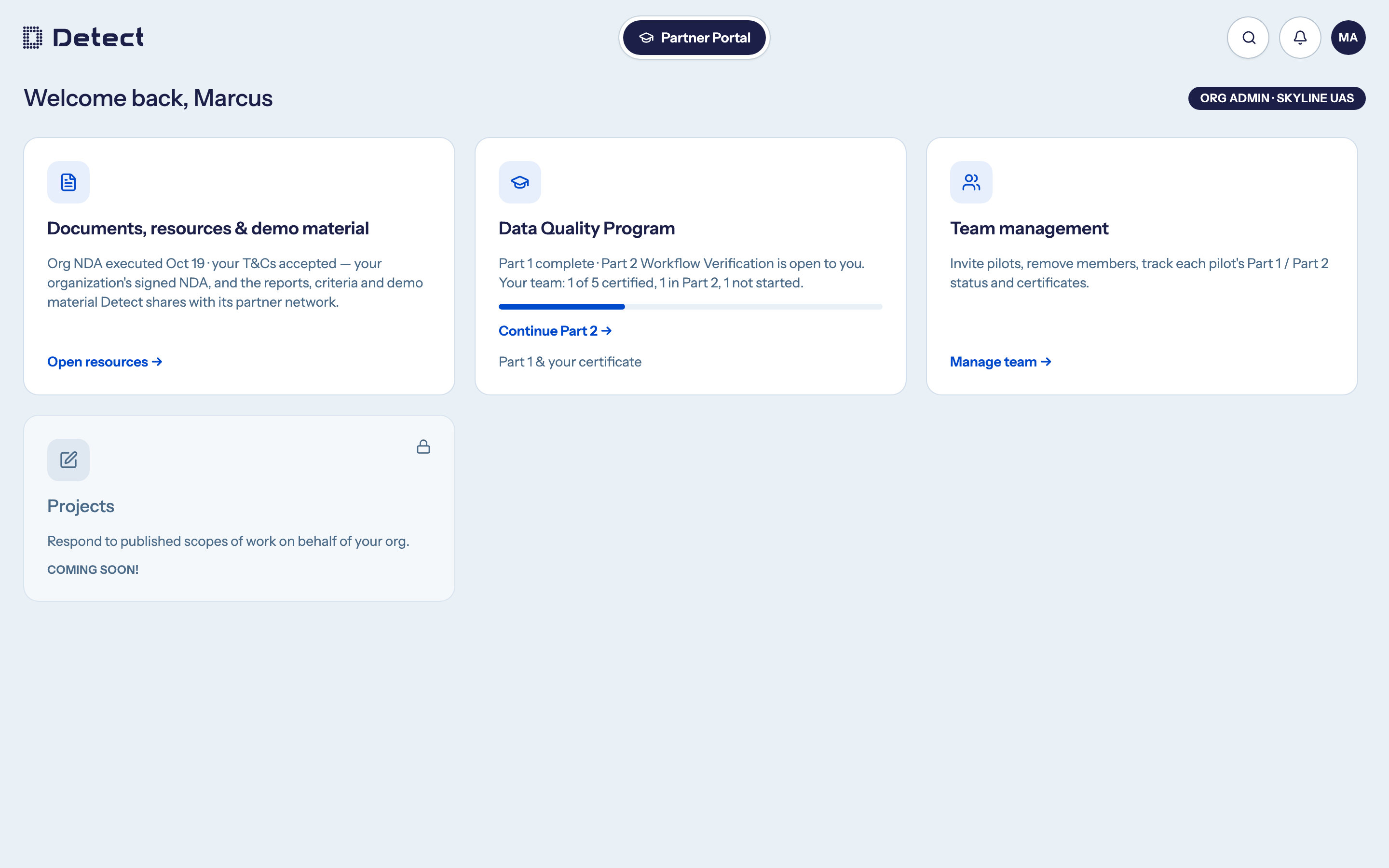
The Data Quality Program card on the portal home shows where you are, with a three-step progress bar: Part 1 passed, Part 2 submitted, and Part 2 approved. Its main button always takes you to your next step, such as Take the course, Continue Part 2 or View Part 2 Submission.
The Projects card is marked Coming soon!